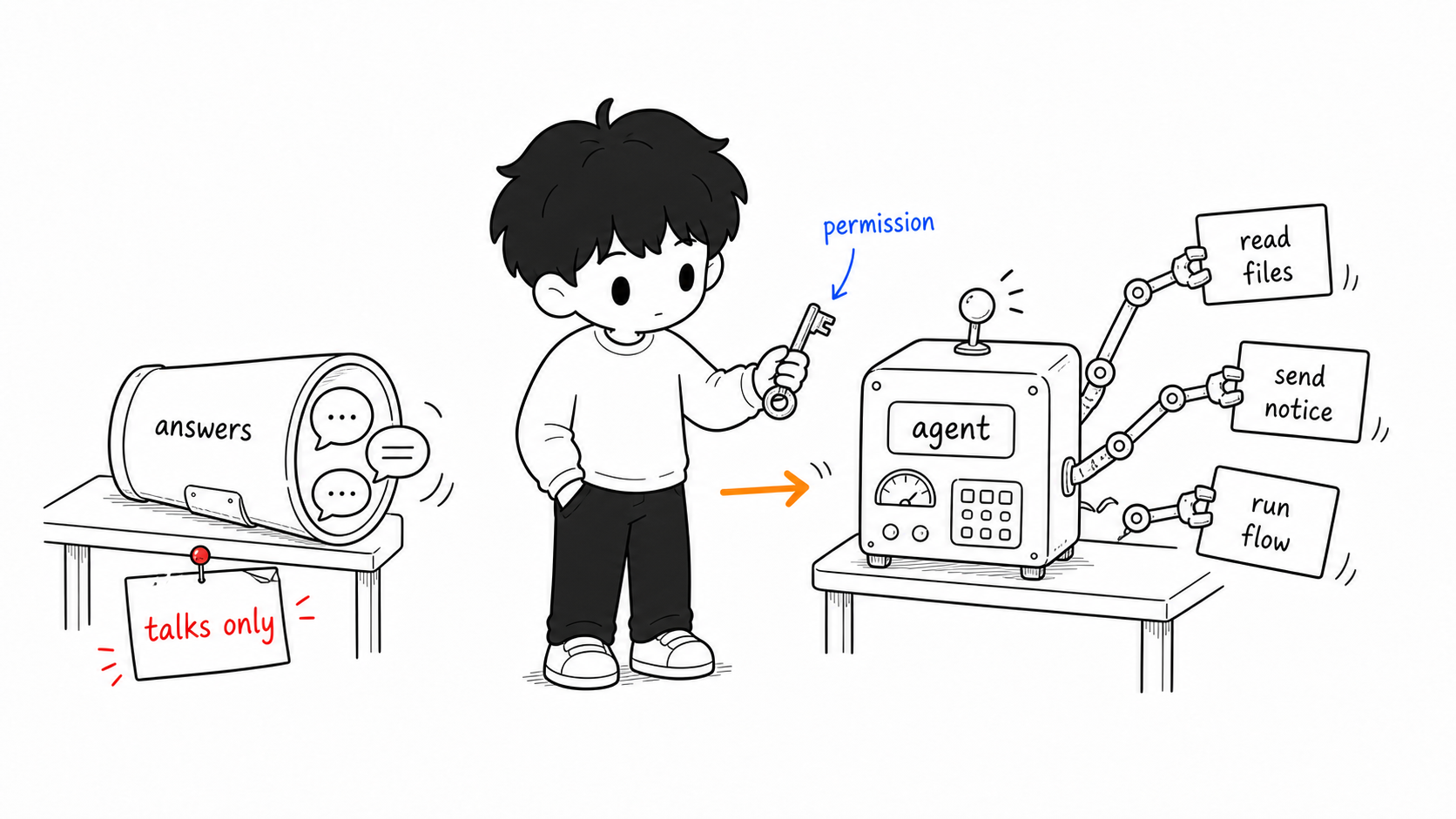
In one sentence: a chatbot answers your questions; an agent completes tasks for you. The former moves its mouth, the latter its hands—and moving its hands means handing over permissions.
Last chapter you learned to break a task into ordered steps. A natural thought follows: since the process is fixed, can AI run it from start to finish without me prompting step by step? That’s exactly what an AI agent aims to do. Workbuddy domestically, and OpenClaw and Codex overseas, all belong to this category. This chapter helps you see clearly what it is, what it can do for you, and—most important—what it means to hand it your permissions.
How an Agent Differs from a Chatbot
If a chatbot (the conversational AI you use day to day) is a knowledgeable sage who only moves their mouth, then an agent is that sage given an office where they can act. The difference lies mainly in two points.
One is going from single conversations to ongoing processes. A chatbot is like a delivery rider—drops off and leaves, forgetting what you asked last week; an agent is more like a colleague, with a continuously running work process, remembering which project you’re on and where your files are, and tracking task progress.
The other is going from passive response to proactive execution. Web-based AI acts only after you speak first; an agent can work on a preset rhythm—for example, checking its to-dos at eight every morning and reporting back—without you prompting.
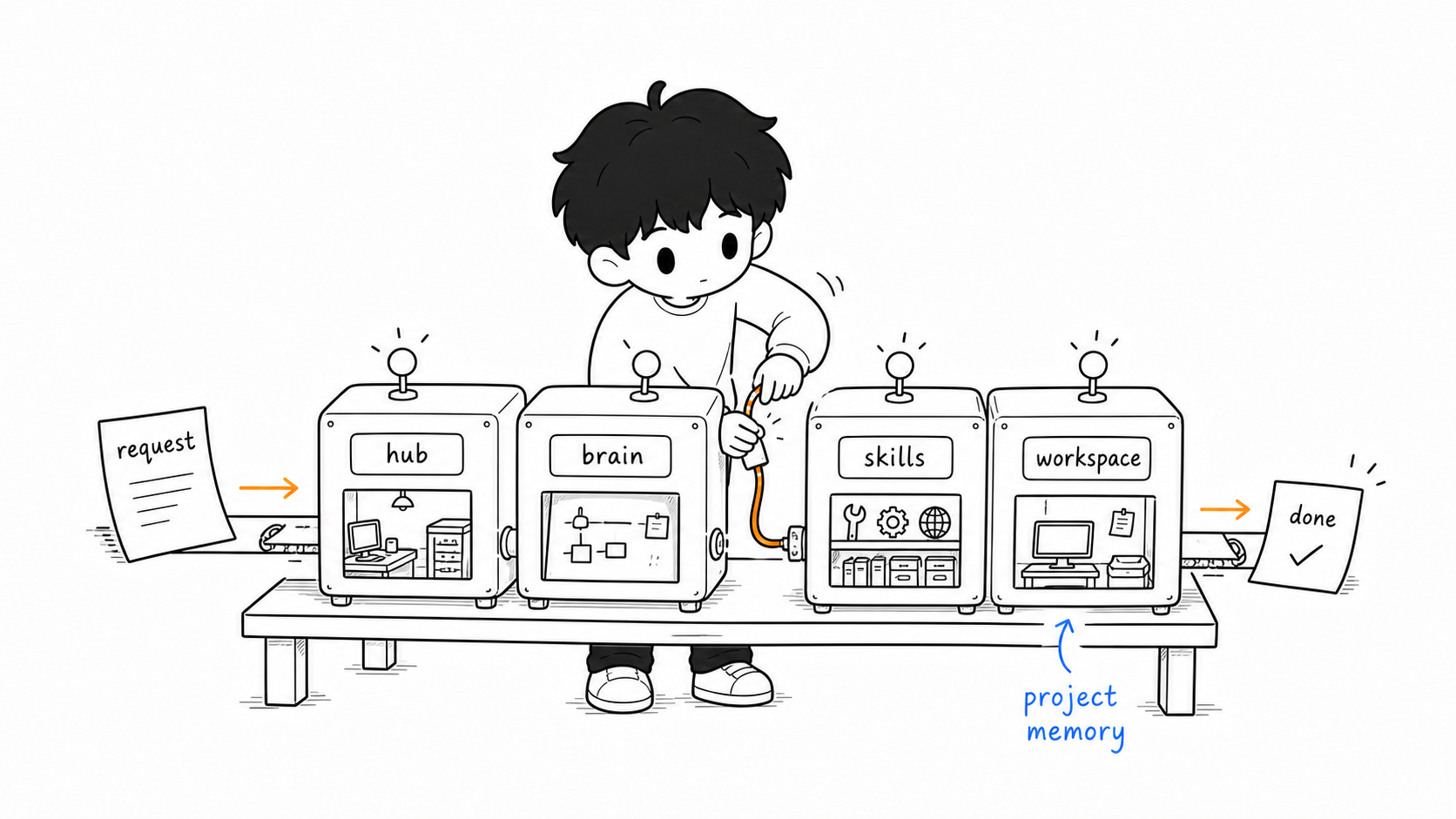
To do these two things, an agent typically has several parts working together behind the scenes: a “hub” that receives instructions and connects to the messaging software you use (such as WeChat or Feishu); a “brain” that thinks and plans multi-step tasks; a set of “skills” it can call on (web search, reading and writing files, sending and receiving email); and a “workspace” that stores long-term memory and files. You send an instruction, the hub passes it to the brain, the brain draws on memory and rules to call the right skills, and it loops through multiple steps until done.
What It Can Do for Teachers
Combining “proactivity” and “multiple skills,” an agent can take over some complete processes you’d otherwise have to watch over. Here are a few representative scenarios to build a picture.
In subject teaching, it can watch your textbook folder, and whenever new courseware is saved in, automatically generate matching exercises by the process from the last chapter and publish them; when students submit homework, it automatically parses and aggregates the class’s knowledge-point mastery and sends it to you. In administrative affairs, before you arrive at school it can compile the day’s timetable, summaries of unread email, and education news you follow into a morning briefing pushed to your phone; or read the meeting invitations in your email and check them against your calendar for conflicts. In professional development, it can watch keywords like “new curriculum standards” or “AI in education,” monitoring academic sites and official announcements around the clock, and push you a summary the moment there’s an important update.
These aren’t ready-made buttons but capabilities you have to configure. And precisely because they need configuring, an agent demands more of the user than the previous chapters—you need a clear workflow first before you can hand it to an agent to run automatically.
How to Start: First Tell Apart Three Forms
The difficulty of getting started varies enormously among agents, because they come in different “forms.” Before acting, first recognize which kind you’re facing—this matters more than rushing in.
The first kind is a ready-made app or cloud service, usable on sign-up. You don’t touch a server or write a line of configuration; download an app, or log into a web page, and you’re off, no different from using ordinary software. OpenAI’s Codex has a desktop app and an entry built into ChatGPT; Workbuddy domestically is likewise this out-of-the-box form. The lowest barrier—this is where the vast majority of teachers should begin.
The second kind is a command-line tool installed on your own computer, such as Claude Code or the command-line version of Codex. It usually installs with a single command and runs in your computer’s “terminal,” able to directly read and write your local files and handle work on your machine—more capable than the first kind. The cost is that you have to get used to typing commands in a black-and-white terminal, which is a slight barrier for teachers who’ve never encountered it, though it’s far from “deploying a server.”
The third kind is an open-source framework you deploy yourself, of which OpenClaw is typical. It isn’t a ready-made product but a system you have to set up with your own server and runtime environment before it will run. It offers the highest customizability, but is also the most labor-intensive and the riskiest—the lively scenes online of “setting up a stall to help people deploy it” exist precisely because this kind’s barrier is real. If you choose it, put it on a cloud server isolated from your personal computer, not your main machine.
A plain suggestion: start with the first kind. Use a ready-made app to get clear on “what an agent can actually do for me,” and only when you genuinely need it and are willing to take on more configuration and risk, consider the second and third kinds. Whichever you choose, the risks below must be thought through first.
Before You Hand Over the Key
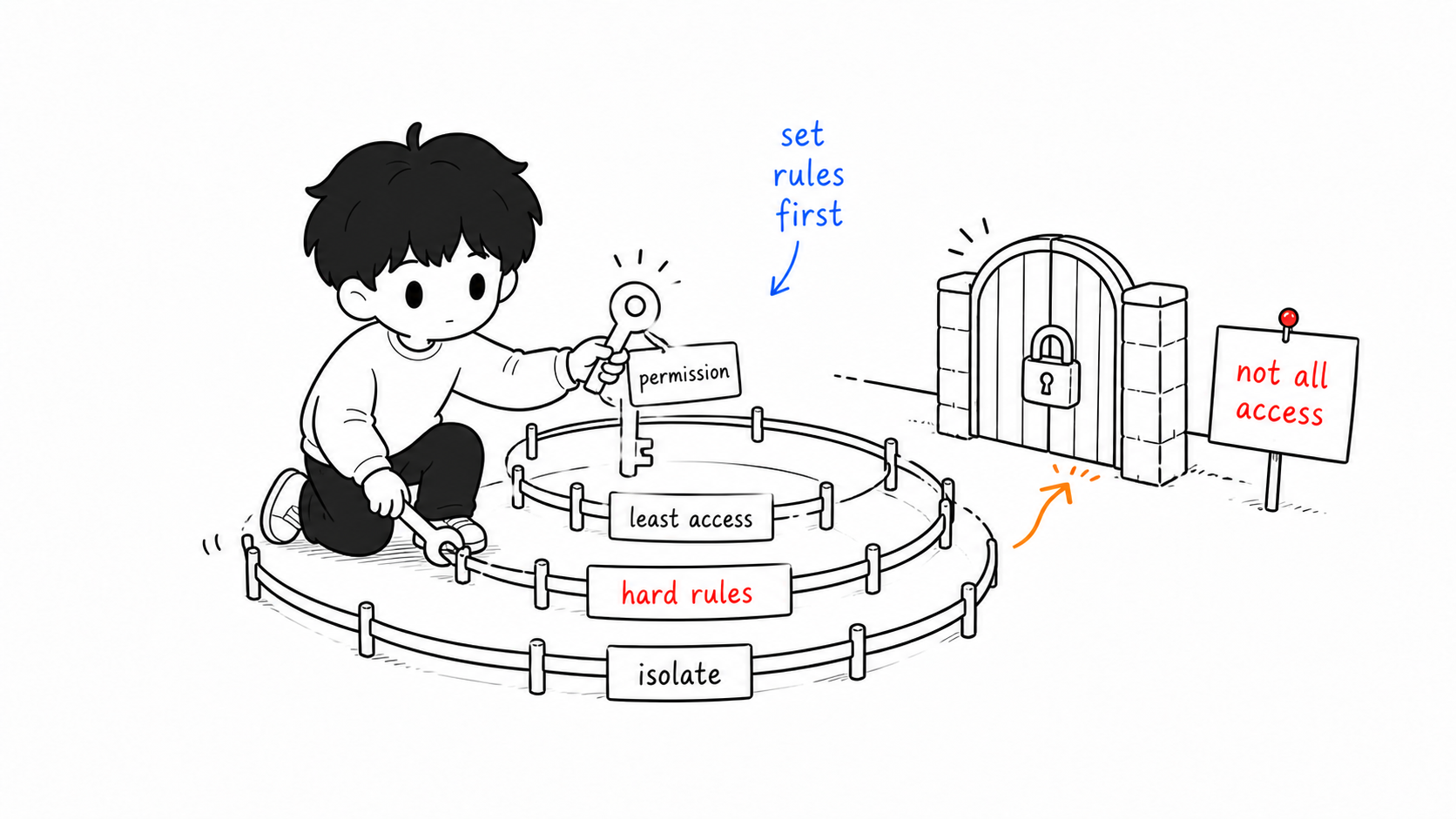
An agent is useful precisely because you’ve given it the high permission to “operate your computer and files.” But that’s like handing it your house key. Once it misreads an instruction, it might delete an important lesson plan, or attach and send out a file that shouldn’t have left. Convenience and risk are two sides of the same coin.
A few lines of defense are worth setting up before you act. First, physical isolation: prefer a cloud server or a hosting platform, keeping the agent’s “office” completely separate from your personal computer and private files—don’t give it top-level permissions on your main machine. Second, hard-coded red lines: most agents let you set their conduct rules in a config file, where you can write explicit rules, such as—
Before performing any operation that "deletes a file, modifies a file, or
sends sensitive information externally," you must first explain it to me and
obtain my explicit consent; do not act on your own.
Third, least privilege: give it only the permissions needed for the current task, not everything at once for convenience. Be especially careful where student data is involved; the relevant principles get their own chapter next.
A Perhaps Unwelcome Reminder
Finally, a word that runs counter to “hurry up and use it.” From a one-question-one-answer chat box to an agent that can type on its own, AI really is evolving from a tool into a partner. But if you ask me right now what you should most do, I’d say: don’t rush.
Recall the 1990s—picking motherboards and graphics cards, installing systems and software, was the trend of the day; later, prebuilt machines spread and systems came preinstalled, and today most people buying a computer only ask “does it work,” no longer caring about the specs. The agent of today sits in that early stage that needs you to tinker by hand—lively, fresh, and prone to inducing anxiety, as if AI can do anything, everyone should use it, and falling behind awaits those who don’t. But when you seriously ask yourself “what exactly do I have that’s worth, and suited to, handing to it to run automatically,” many people fall silent.
A tool doesn’t generate value just because it’s installed. So in the face of the hype, the question more worth asking first isn’t “how to deploy” but “do I really need this, and am I really ready?” Whether you can break a task down clearly, design a reliable process, and judge in time when it goes off course—these are the true dividing lines, and they all live in the person, not in the tool. Train the skills of the earlier chapters solidly, and when the workflow in your mind is clear enough, it won’t be too late to raise this hands-on “AI colleague.”
A formal note: this article is an objective introduction based on current technical trends only, and does not constitute a recommendation or disparagement of any specific platform. The deployment and use of agents remains experimental, and results vary from person to person. Please operate prudently in light of your own abilities and your school’s rules, and take responsibility for your personal and students’ data security yourself.
This article is part of the A Teacher’s Guide to AI series. For specific sources, references, and AI-use notes, see the series index page.